





Table of Contents
Quick Summary
- Discover how ergonomic home theater seating improves comfort during long movie sessions.
- Learn the importance of lumbar support, recline angles, and adjustable headrests.
- Explore different seating options including recliners, loveseats, and modular sets.
- Understand how to customise seating layouts for small and large media rooms.
- Find practical budgeting tips for upgrading your home cinema seating affordably.
- Get step by step guidance for selecting, installing, and maintaining ergonomic seating.
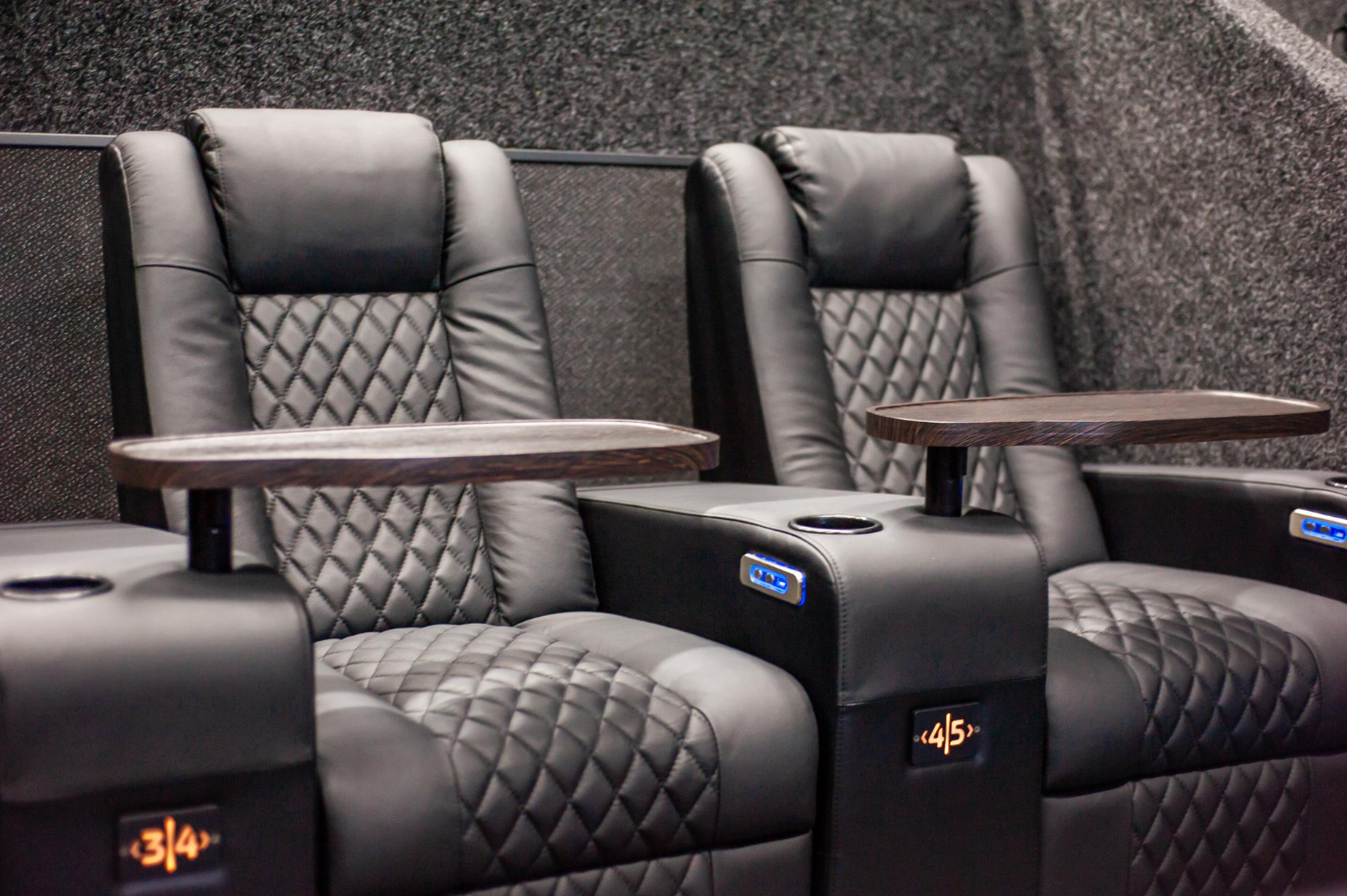
Picture this: you’ve dimmed the lights, queued up a highly anticipated film, and settled into your media room for what should be the perfect movie night. But thirty minutes in, you’re shifting uncomfortably, your lower back aches, and your neck feels stiff from craning at an awkward angle. By the time the credits roll, you’re more focused on your discomfort than the storyline. This scenario plays out in countless homes where standard sofas and generic chairs simply weren’t designed for extended viewing sessions.
Ergonomic home theater seating changes this equation entirely. Engineered to support your body’s natural alignment while delivering the luxury feel of a cinema experience, these purpose-built seats transform how you engage with entertainment at home. Whether you’re binge-watching a series or hosting a weekend movie marathon, the right seating makes every minute enjoyable rather than endurable. In this guide, we’ll walk you through the benefits of ergonomic design, explore the range of seating options available, discuss custom configurations for any space, and share budget-friendly strategies so you can upgrade your media room without breaking the bank.
The Fundamentals of Ergonomic Design in Home Theater Seating
Ergonomic design refers to the science of creating furniture that works with your body rather than against it. In the context of home theater seating, this means every curve, angle, and cushion is intentionally crafted to maintain your spine’s natural S-shape during hours of seated entertainment. Unlike conventional furniture that forces your body to adapt to its form, ergonomic seats adapt to you.
The cornerstone features of ergonomic home theater seating include built-in lumbar support that cradles the lower back, adjustable headrests that position your neck neutrally relative to the screen, and calibrated recline angles that distribute your weight evenly across the seat. When your spine stays properly aligned, blood circulates freely, muscles remain relaxed, and pressure points that cause numbness or soreness simply don’t develop. This means you can watch a three-hour epic without the urge to stand up and stretch every twenty minutes.
Beyond immediate comfort, these design principles contribute to long-term health benefits. Poor seated posture over time leads to chronic back pain, tension headaches, and even compressed discs. Ergonomic seating actively counteracts these risks. For homeowners investing in a dedicated media room, this matters because the space is meant to be used frequently and for extended periods. Choosing seating that protects your body ensures your media room remains a place of relaxation and enjoyment for years, not a source of gradual physical strain that diminishes the experience you worked so hard to create.
Exploring Home Theater Seating Options: From Recliners to Modular Sets
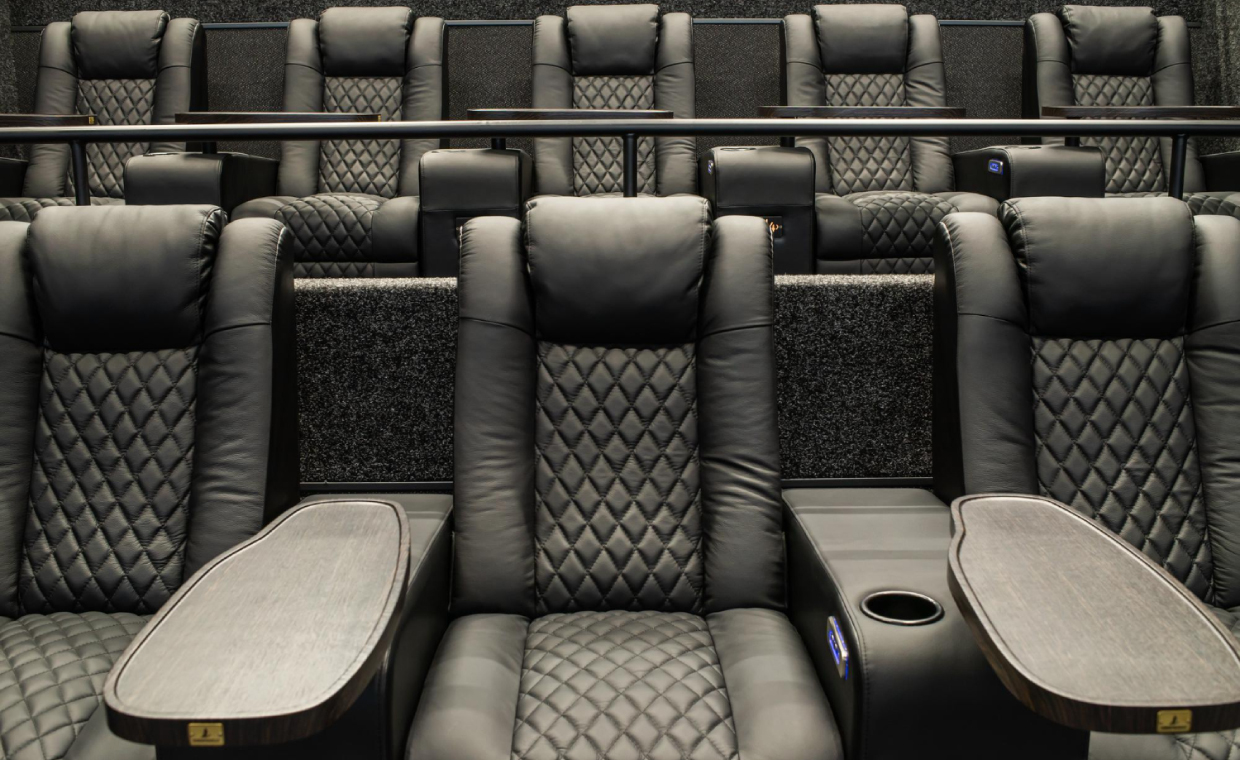
The world of home theater seating extends far beyond the basic padded chair. Recliners remain the most popular choice for dedicated media rooms, and for good reason – they offer a personal cocoon of comfort with built-in mechanisms that let you shift from upright viewing to a fully reclined position with minimal effort. Power recliners have largely replaced manual models, providing smooth, motorized transitions that let you find your ideal angle at the touch of a button. Leather and high-grade synthetic upholstery options deliver durability and easy cleaning, while fabric alternatives offer a softer, warmer feel that some homeowners prefer for a more casual atmosphere.
Beyond individual recliners, loveseats with shared consoles work beautifully for couples who want to sit close without sacrificing personal armrest space. Sectional and modular configurations open up even more possibilities, allowing you to arrange curved rows, L-shaped layouts, or tiered stadium-style seating depending on your room’s footprint. What ties all these options together is the integration of ergonomic principles – regardless of whether you choose a single power recliner or a six-seat modular set, quality manufacturers like Weilianda build lumbar contouring, supportive cushion density, and neutral neck positioning into every design. This means your decision comes down to room size, aesthetic preference, and how many people you typically host rather than having to compromise on body support.
Key Features to Look for in Recliners
When evaluating recliners specifically, focus on the recline mechanism first. A smooth, quiet motor with multiple stopping points gives you far more control than a two-position manual lever. Look for seats with high-density foam padding that maintains its shape over thousands of hours of use, since cheaper foam compresses quickly and eliminates the ergonomic benefits you’re paying for. Padded armrests at the correct height keep your shoulders from hunching, and wider armrests with integrated storage compartments or cup holders add everyday convenience without cluttering your space. Adjustable headrests – particularly power headrests that tilt independently of the backrest – are essential for directing your gaze naturally toward the screen without straining your neck. Finally, consider models with USB charging ports and accessible side pockets, features that keep your devices and remotes within arm’s reach so you never have to break your comfortable position mid-movie.
Tailoring Your Space with Custom Configurations
One of the greatest advantages of modern home theater seating is the ability to customize your layout to match your room’s exact dimensions and your personal viewing habits. Custom configurations go beyond simply picking a color – they encompass row arrangement, seat count, spacing between units, and how the overall setup interacts with your screen position and speaker placement. A room that measures twelve feet wide might accommodate a straight row of three seats with shared consoles, while a wider space could benefit from a curved arrangement that angles each viewer toward the screen’s center for optimal sightlines.
Modular sets offer the most flexibility in this regard. Each piece – whether it’s a corner unit, armless chair, or wedge connector – functions as a building block you can rearrange as your needs evolve. Hosting a large group for the big game? Expand the configuration. Prefer an intimate two-person setup for weeknight viewing? Scale it back. For smaller media rooms, a compact loveseat paired with a single recliner maximizes seating capacity without overwhelming the floor plan. Larger dedicated theaters can incorporate risered second rows, giving rear-seat viewers an unobstructed view over the front row.
Material and color personalization ensures your seating complements your room’s aesthetic rather than clashing with it. Dark leather tones create a classic cinema atmosphere, while lighter fabrics or bold accent stitching can modernize the space. Some manufacturers allow you to mix materials within a single configuration – perhaps leather on the seating surfaces for durability and fabric on the sides for visual contrast. The key is measuring your room carefully, accounting for recline clearance behind each seat, and choosing a configuration that leaves comfortable walking paths so the space feels inviting rather than cramped.
Smart Budgeting for Your Home Theater Seating Upgrade
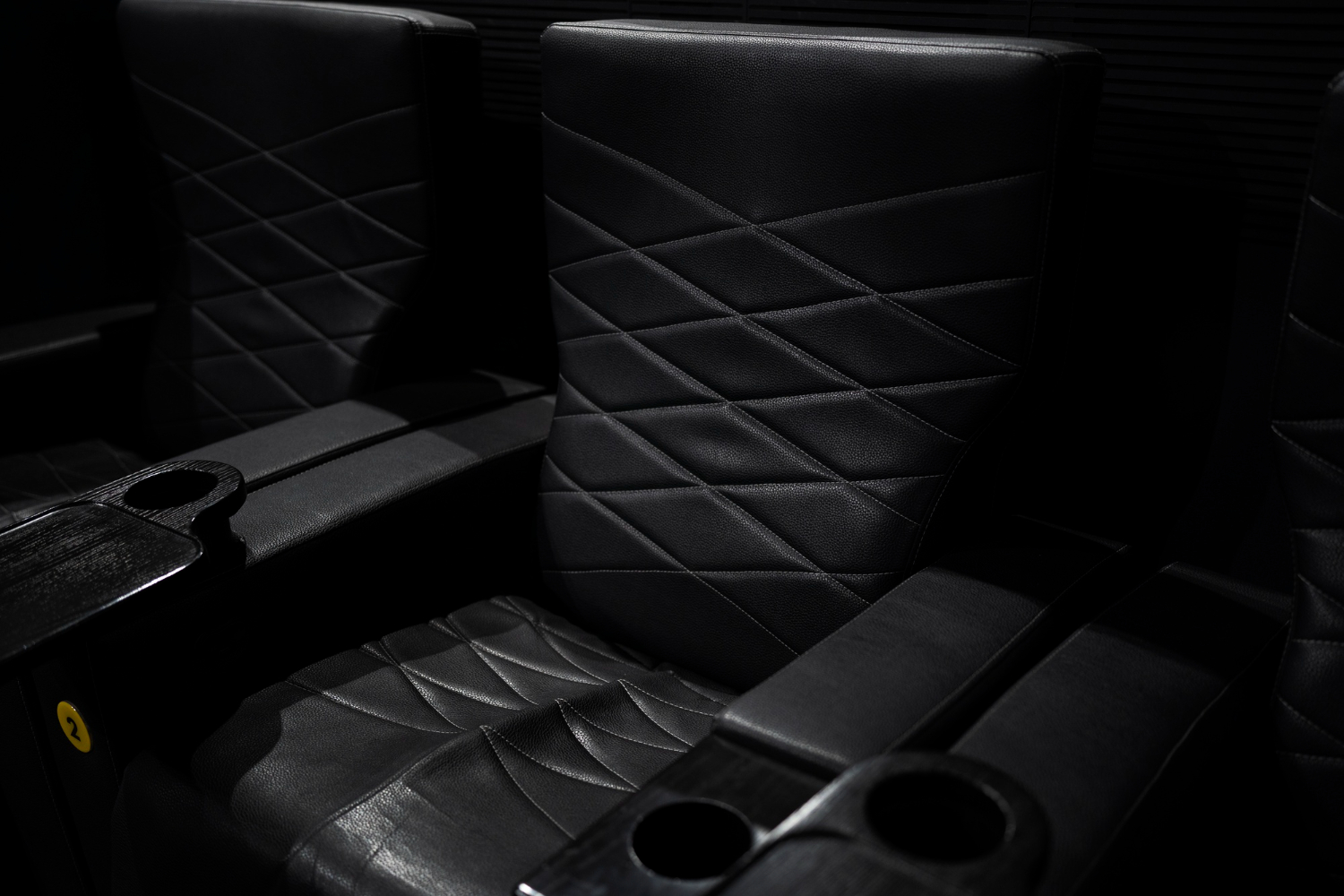
Upgrading to ergonomic home theater seating doesn’t require an unlimited budget – it requires a smart approach to spending. The first strategy is identifying which ergonomic features matter most to you and allocating your budget accordingly. If you suffer from lower back pain, prioritize seats with superior lumbar support over extras like ambient lighting or cooling cup holders. Core comfort features should never be sacrificed for cosmetic add-ons.
Timing your purchase can yield significant savings. Major holidays, end-of-year clearance events, and manufacturer promotions often bring discounts that make premium seating accessible at mid-range prices. Signing up for retailer newsletters or setting price alerts on specific models helps you act quickly when deals appear. Refurbished or open-box seating from reputable dealers is another avenue worth exploring – these units frequently carry full warranties and show little to no wear, yet come at a fraction of the original cost.
When comparing options, consider the cost-per-year value rather than the sticker price alone. A well-built ergonomic recliner that lasts a decade delivers far more value than a cheaper alternative that sags and loses support within two years. Modular sets can also help you phase your investment – start with a core two-seat configuration now and add pieces over time as your budget allows. This incremental approach lets you build your dream setup without a single large financial commitment, keeping both your wallet and your body comfortable throughout the process.
Step-by-Step Guide to Selecting and Installing Ergonomic Seating
Finding the right ergonomic seating starts with a thorough assessment of your media room. Grab a tape measure and record the room’s length, width, and ceiling height, then note the screen’s position and the optimal viewing distance for your display size. This baseline tells you how many seats your space can realistically support and whether a single row or tiered layout makes more sense. Next, determine your primary use case – solo viewing, couple’s retreat, or regular group hosting – since this shapes whether you need a compact recliner pair or a full modular arrangement. Once you know your spatial limits and seating count, research models that prioritize the ergonomic features most relevant to your body. If possible, visit a showroom to sit in your top choices for at least ten minutes, testing recline range, lumbar feel, and headrest adjustability. For online purchases, look for retailers with generous return policies so you can evaluate comfort at home without risk. After selecting your seats, plan for long-term care by treating leather surfaces with conditioner every few months and rotating cushion positions on modular units to ensure even wear across all sections.
Installation Tips for a Seamless Setup
Before delivery day, clear a path from your entrance to the media room and remove any doors that might restrict access for larger pieces. Most power recliners arrive partially assembled, so keep basic tools handy and follow the manufacturer’s instructions carefully to avoid damaging internal mechanisms. Position each seat with enough clearance behind it for full recline – typically around six inches for wall-hugger models and up to eighteen inches for standard mechanisms. Angle seats so every position faces the screen’s center, reducing the need to turn your head during viewing. Finally, route power cables neatly along baseboards or under carpet edges and confirm that your seats don’t block surround speakers or subwoofer output, preserving both your audio experience and the clean aesthetic of your newly upgraded media room.
Transform Your Media Room with the Right Ergonomic Seating
Your media room should be a sanctuary where entertainment and comfort coexist effortlessly, and ergonomic home theater seating makes that vision a reality. The principles are straightforward: proper lumbar support, adjustable headrests, and calibrated recline angles protect your body during extended viewing while eliminating the discomfort that pulls you out of the cinematic experience. With options ranging from power recliners to expansive modular sets, there’s a configuration suited to every room size and viewing style. Custom layouts let you optimize sightlines and maximize your available space, while smart budgeting strategies – from timing purchases around sales to phasing modular additions over time – ensure you don’t have to sacrifice quality for affordability.
The path forward is clear: measure your room, identify the ergonomic features your body needs most, test your options thoroughly, and invest in seating that will reward you with years of pain-free entertainment. Don’t settle for another movie night spent squirming on a couch that wasn’t built for the job. Start planning your seating upgrade today, and transform your media room into the comfortable, immersive retreat it was always meant to be.
Also Read: Everything You Need to Know About Modern Home Living
FAQs – Ergonomic Home Theater Seating
1. What is ergonomic home theater seating?
Ergonomic home theater seating is specially designed furniture that supports proper posture, reduces body strain, and improves comfort during long viewing sessions.
2. Are power recliners better than manual recliners?
Power recliners offer smoother adjustments, better positioning control, and added convenience compared to manual recliners, making them ideal for media rooms.
3. How much space is needed for home theater recliners?
Most recliners require at least six to eighteen inches of clearance behind the seat, depending on the recline mechanism and model type.
4. Which material is best for home theater seating?
Leather is durable and easy to clean, while fabric provides a softer and warmer feel. The best choice depends on your comfort preference and room style.
5. Can ergonomic seating help reduce back pain?
Yes, ergonomic seating with proper lumbar support and adjustable headrests can reduce strain on the spine and improve sitting posture over time.
Author & Expert Review
Written By:  Gaurav Mishra | Civil Engineer & Content Writer

| Credentials: B.E. (Mahavir Swami College, Surat), Registered with Bhagwan Mahavir University (BMU). Experience: Civil Engineer with 5+ years of content writing experience, currently writing impactful articles for Gharpedia, part of SDCPL. Expertise: Specializes in writing well-researched content on residential construction, construction materials, design planning, on-site practices, and safety, blending technical accuracy with everyday clarity. Find him on: LinkedIn |
Verified By Expert: Farhan Shaikh – Senior Manager – Architect, SDCPL | Associate Member – IIA

This article has been reviewed for architectural and interior design accuracy by Farhan Shaikh, Senior Manager – Architect at Sthapati Designers & Consultants Pvt. Ltd. As the lead for all architectural and interior projects at SDCPL and an Associate Member of the Indian Institute of Architects (IIA), he brings hands-on experience in architectural planning, interior design, project coordination, and sustainable strategies. His review ensures the content reflects practical design considerations, industry best practices, and real-world applicability across both architecture and interior spaces.
Find him on : LinkedIn